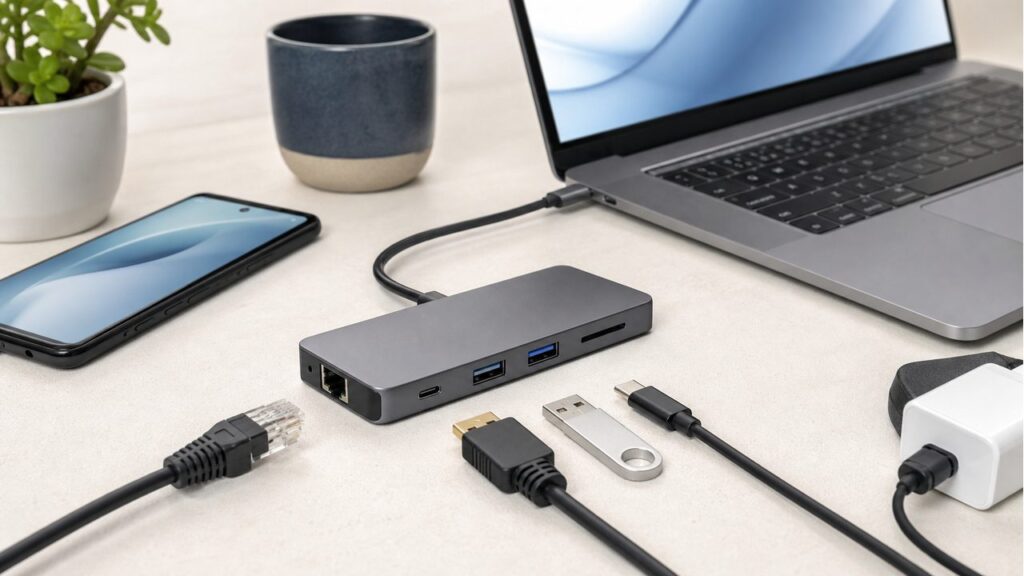
A USB-C hub is useful only when it matches the device you actually use. For laptops, that usually means HDMI, USB-A, storage, Ethernet, and pass-through charging. For phones and tablets, the big question is whether the device supports video output over USB-C in the first place.
Buyer verdict: which USB-C hub should you shortlist?
Choose the UGREEN Revodok 1071 if you want the most balanced hub for everyday laptop and tablet use, with HDMI, card readers, USB data ports, and USB-C power delivery in one compact body.
Choose the TP-Link UH6120C if wired Ethernet and a cleaner desk setup matter more than SD card slots. It is the most practical pick here for home-office laptop users.
Choose the Portronics Mport 8 if you want a budget multiport hub and can accept more modest Ethernet/display expectations.
Quick picks
| Product | Best for | Why it stands out | CTA |
|---|---|---|---|
| UGREEN Revodok 1071 USB-C Hub | Balanced laptop, tablet, and travel use | 7-in-1 layout with HDMI, USB-C and USB-A data, SD/microSD readers, and 100W-class pass-through charging support. | Check price on Amazon |
| TP-Link UH6120C USB-C Hub | Desk setups that need Ethernet | 6-in-1 layout with 4K HDMI, Gigabit Ethernet, 100W PD, one USB-C data port, and two USB-A data ports. | Check price on Amazon |
| Portronics Mport 8 USB-C Hub | Budget multiport expansion | 8-in-1 port mix with HDMI, Ethernet, USB ports, SD/microSD readers, Type-C data, and PD charging support. | Check price on Amazon |
Best balanced pick: UGREEN Revodok 1071 USB-C Hub
Verdict: The UGREEN Revodok 1071 is the easiest first pick because it covers the ports most people actually miss when a laptop has only USB-C: HDMI, memory cards, USB-A, USB-C data, and charging pass-through.
Pros
- Useful 7-in-1 layout: Better for mixed work, travel, and camera-card workflows than a basic HDMI-only dongle.
- Pass-through charging support: Helpful when a laptop has only one or two USB-C ports and you still need power.
- Good portable format: Small enough for a laptop bag without becoming a full desk dock.
Cons
- Not a full docking station: It is a compact hub, not a replacement for a multi-monitor powered dock.
- Charging depends on your adapter: The hub cannot deliver more power than the charger and cable feeding it.
- Phone video is not guaranteed: Your phone must support USB-C video output for HDMI to work.
Good fit: You want one compact hub for laptop work, tablet use, occasional SD card transfers, and HDMI output.
Skip if: You need wired Ethernet every day or a true desktop dock for multiple displays.
Best for wired desk setups: TP-Link UH6120C USB-C Hub
Verdict: TP-Link is the better choice if your laptop desk problem is not memory cards but unstable Wi-Fi, HDMI output, and too few USB ports. The Gigabit Ethernet angle makes it more work-focused than the average travel hub.
Pros
- Gigabit Ethernet: Useful for video calls, large downloads, and desk setups where Wi-Fi is inconsistent.
- 4K HDMI positioning: Better for external-monitor workflows than a hub that hides display limits.
- Clear port story: HDMI, Ethernet, PD, USB-C data, and USB-A data cover most office needs.
Cons
- No card-reader focus: Creators who move photos or camera files may prefer UGREEN.
- Still needs the right host device: HDMI and charging behavior depend on your laptop/tablet USB-C implementation.
- Not for power users with many displays: One compact hub is not a full Thunderbolt dock.
Good fit: You work from a laptop and want Ethernet, HDMI, and USB expansion in one small adapter.
Skip if: SD card slots matter more than Ethernet.
Best budget multiport pick: Portronics Mport 8 USB-C Hub
Verdict: Portronics is the value-focused pick when you want many ports without paying dock-level money. It makes sense for basic expansion, but you should be realistic about display refresh rate and Ethernet speed before buying.
Pros
- Broad 8-in-1 mix: HDMI, Ethernet, USB, card readers, Type-C data, and PD charging support cover common needs.
- Budget-friendly role: Sensible if you need occasional expansion rather than a permanent work dock.
- Good starter hub: Useful for students, basic office work, presentations, and accessory-heavy laptops.
Cons
- Ethernet may be the limiting port: Check the exact listing if you need faster wired networking.
- Display expectations need control: Budget hubs may target 4K at lower refresh rates rather than smooth monitor use.
- Heat can build up: HDMI plus charging plus storage use can warm compact hubs.
Good fit: You need an affordable many-port adapter for occasional monitor, USB, and card-reader use.
Skip if: You need reliable Gigabit Ethernet or a premium hub for daily heavy workloads.
Before you buy: four checks that prevent disappointment
1. Does your phone support video?
USB-C shape does not mean HDMI support. Many budget phones charge over USB-C but do not output video. Check for DisplayPort Alt Mode or official video-out support.
2. What does the HDMI port really support?
A hub can say 4K, but refresh rate matters. For desk monitors, 4K at 60Hz feels much smoother than 4K at 30Hz.
3. How much power reaches the laptop?
A hub uses some power for itself. A 100W pass-through hub may leave less than the full charger wattage for the laptop.
4. Will it get hot?
Compact hubs can warm up when HDMI, charging, Ethernet, and storage are active together. Keep airflow clear and avoid stacking it under the laptop.
Related reading
Best USB-C Chargers in India | Charger Watts Explained | Best Power Banks | Work From Home Setup
Bottom line
Most buyers should start with the UGREEN Revodok 1071 for balanced use, the TP-Link UH6120C for Ethernet-heavy desk work, and the Portronics Mport 8 for budget multiport expansion. The right hub is the one that matches your host device, not just the one with the longest port list.
Product names, availability, seller details, port claims, and compatibility can change. Recheck the retailer page and your device’s USB-C video, charging, and data support before buying.